First-time makers
You want to shape a basic object from boxes, cylinders, and other familiar forms.
You can learn the core design gestures quickly and build confidence through small projects.
tinkercad for freeAccess guide
Free tinkercad gives beginners a practical browser-based way to explore 3D design and basic electronics without committing to a complex workflow. Use this route to understand what is available before you start.
Related routes
These nearby guides explain other ways to reach the same kind of creative workflow, depending on whether your priority is simplicity, no account, or browser access.
Best for
The no-cost route is most useful when you want to learn by making, test an idea, or prepare a simple object without a professional CAD setup.
You want to shape a basic object from boxes, cylinders, and other familiar forms.
You can learn the core design gestures quickly and build confidence through small projects.
tinkercad for freeYou need a low-friction way to demonstrate a concept with a visible 3D model.
You can move from an idea to a shareable visual without installing specialist software.
tinkercad without signupYou have a rough object idea and need to test proportions before refining it elsewhere.
You can produce a simple concept model and spot obvious fit or spacing problems early.
tinkercad onlineYou want to explore a small circuit concept alongside your introductory design work.
You can begin with accessible components and understand the basic shape of a project before advancing.
tinkercad circuitsQuick start
A short first session is enough to learn the basic path from an idea to a usable draft.
Start with one clear object or simple circuit rather than a multi-part build. A phone stand, name tag, or LED layout gives you an easy target.
Place basic shapes or components, combine them, and change their size or position. Keep checking the result from more than one angle.
Look for gaps, unstable geometry, or unclear connections. Save the draft or export it only after the design behaves as intended.
Know the edges
A no-cost starting point is helpful, but it is not the same as a full professional engineering environment.
Detailed, constraint-heavy parts and advanced mechanical relationships can become awkward in a beginner-focused workspace.
WorkaroundUse the simple model for concept development, then move a refined design into a more advanced CAD tool.
Many interlocking parts may require careful naming, grouping, and repeated alignment to remain manageable.
WorkaroundBreak the project into smaller sections and test each section before combining everything.
An interrupted connection, unsupported browser, or restricted device can make editing inconvenient.
WorkaroundUse a current browser, keep the project scope modest, and save work at sensible checkpoints.
A model can look correct on screen while having thin walls, weak joins, or dimensions that do not suit a printer.
WorkaroundInspect scale, thickness, clearances, and orientation before sending a model to fabrication.
Side by side
The focused route is designed for a quick start; the general workspace gives you a broader place to continue as your projects grow.
Free tinkercad route
General Tinkercad workspace
Free tinkercad route
Small learning projects and first experiments
General Tinkercad workspace
A wider mix of design and electronics projects
Free tinkercad route
Minimal friction for trying the basics
General Tinkercad workspace
More room to organize an ongoing workflow
Free tinkercad route
Gentle introduction to core tools
General Tinkercad workspace
Broader surface area to explore over time
Free tinkercad route
Basic shapes, combinations, and proportions
General Tinkercad workspace
The same foundation with more room for project depth
Free tinkercad route
Suitable for introductory exploration
General Tinkercad workspace
A broader place to continue circuit-based work
Free tinkercad route
Not the main purpose of this route
General Tinkercad workspace
Still better suited to dedicated advanced CAD tools
Free tinkercad route
A clear first draft or learning exercise
General Tinkercad workspace
A repeatable workspace for varied projects
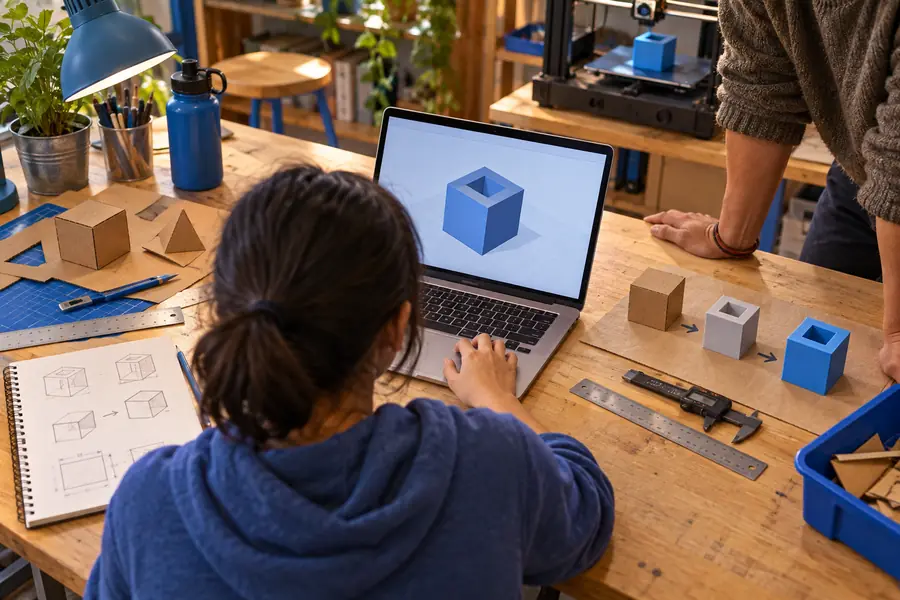
Visual check
The useful difference is not decoration; it is the change from an unformed idea to a model you can inspect, revise, and share.
A draft is the first checkpoint, not the final engineering review.

At a glance
These simple markers describe the intended shape of the experience without overstating what the route can replace.
Common question
Yes, the core beginner experience is available at no upfront cost. You can use it to explore basic 3D design and introductory circuit projects without purchasing professional CAD software.
It includes a beginner-oriented workspace for creating simple 3D models and exploring basic circuits. The route is best understood as an accessible starting point rather than a replacement for every advanced design tool.
For learning the fundamentals, it can be enough. You can practice combining shapes, adjusting proportions, and reasoning through simple project layouts before deciding whether you need a more advanced workflow.
Yes. Complex parametric engineering, large assemblies, print preparation, and advanced production workflows may require additional tools or more detailed checking. Use the free route for concepts and early drafts, then verify important results elsewhere.