First-time designer
You want to make a name tag, planter, game token, or simple holder without learning a complex CAD system.
Begin with primitives, group the parts, and build confidence through quick visual edits.
tinkercad for 3D printingShape ideas simply
Tinkercad 3d modeling gives beginners a clear way to combine shapes, cut forms, and prepare simple designs. Start with a plain-language idea and turn it into a workable model.
Related paths
Use these focused guides when your project moves from basic shapes into circuits, code, or a physical print.
Core capabilities
The modeling workspace is built around visual construction rather than electrical simulation or code execution.
Drag cubes, cylinders, spheres, and other primitives into the workplane, then resize and align them into a single form.
Turn shapes into holes and group them with solids to carve openings, recesses, slots, and repeatable cutouts.
Inspect the finished object from multiple angles, check its proportions, and export it when the geometry is ready for fabrication.
At a glance
A small set of visible checkpoints keeps a first model manageable and makes mistakes easier to spot.
Model progression
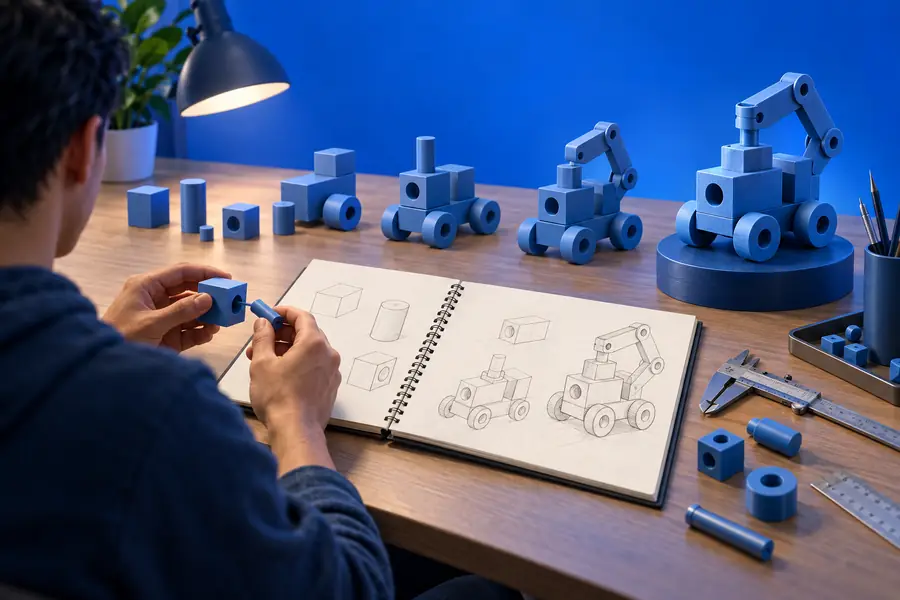
A strong result usually comes from moving from a rough blockout to a grouped, proportioned object rather than adding detail too early.
Simple geometry works best first; intricate organic detail takes more planning.
Practical fit
Different makers use the same modeling entry point for different goals, but the best results come from matching the tool to the job.
You want to make a name tag, planter, game token, or simple holder without learning a complex CAD system.
Begin with primitives, group the parts, and build confidence through quick visual edits.
tinkercad for 3D printingYou need a compact project that demonstrates scale, symmetry, subtraction, and basic spatial reasoning.
A short shape-based exercise produces a visible result that is easy to discuss and revise.
tinkercad circuitsYou are testing the rough size and arrangement of a bracket, enclosure, sign, or desk accessory.
Fast blockouts expose proportion problems before you commit to a more advanced design workflow.
tinkercad arduinoChoose the right surface
The focused modeling entry point is ideal for visual solids; the general Tinkercad experience becomes more useful when your project includes electronics or code.
3D modeling entry point
General Tinkercad workspace
3D modeling entry point
Building and editing visual 3D geometry
General Tinkercad workspace
A broader starting point for design and electronics
3D modeling entry point
Solids, holes, groups, and workplane shapes
General Tinkercad workspace
3D objects, circuit components, and code tools
3D modeling entry point
A holder, badge, token, or simple enclosure
General Tinkercad workspace
A mixed project combining physical form and behavior
3D modeling entry point
Visual and approachable for beginners
General Tinkercad workspace
Still approachable, with more areas to explore
3D modeling entry point
A model ready for export or further preparation
General Tinkercad workspace
A design, circuit simulation, or coded prototype
3D modeling entry point
Organic forms, fine mechanical detail, and complex assemblies
General Tinkercad workspace
Projects that need professional-grade CAD precision
3D modeling entry point
You need to shape an object quickly
General Tinkercad workspace
You need to connect modeling with circuits or programming
Common questions
These answers cover the broader search around Tinkercad 3D design and choosing a free tool for a first project.
Tinkercad is used to create simple 3D objects by combining, resizing, aligning, and grouping shapes. It is useful for beginner projects, classroom exercises, prototypes, and designs intended for 3D printing.
Yes, it is a strong choice for learning core 3D design concepts and producing straightforward models quickly. It is less suitable when a project needs advanced sculpting, highly precise mechanical constraints, or complex assemblies.
There is no single best free app for every project. Tinkercad is a practical starting point for simple solid modeling, while more advanced tools may be better for detailed engineering, sculpting, or professional workflows.
Yes. Its shape-based interface makes the relationship between solids, holes, grouping, and alignment easy to see, so beginners can learn by building small projects instead of starting with a dense technical interface.